UI Changes: Commission payout section
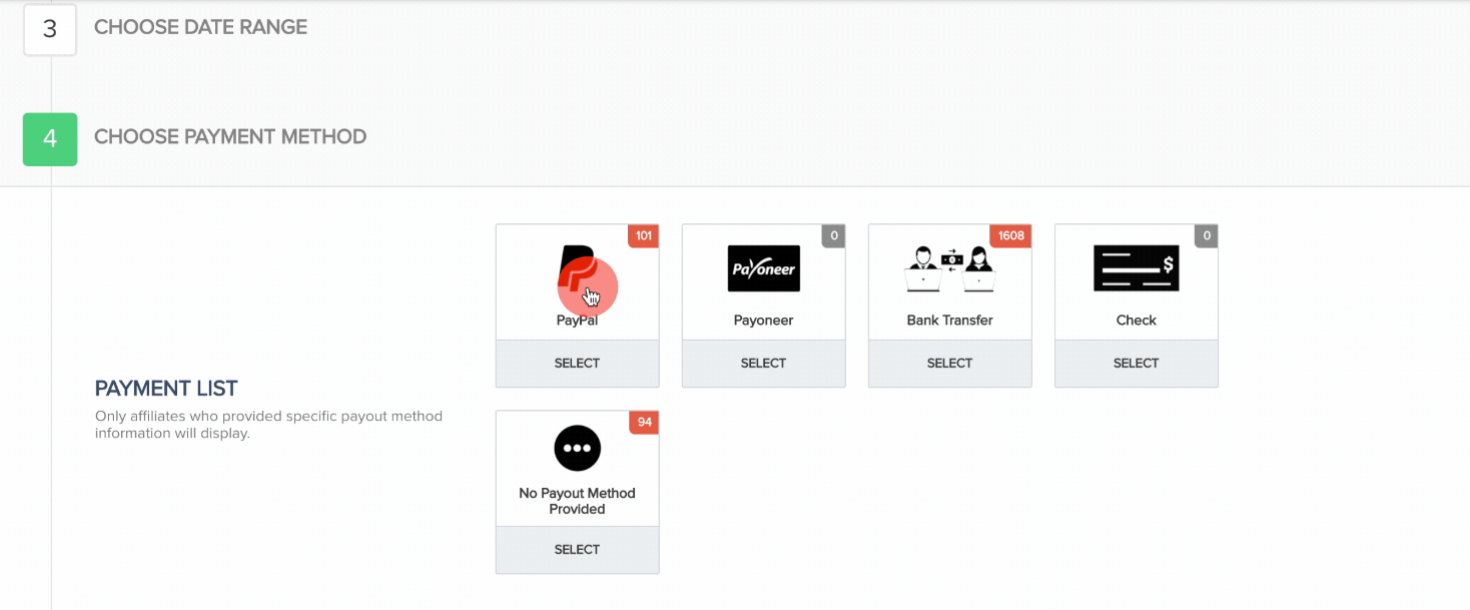
We have made some small UI changes for the affiliate payout section to run even smoother as well as make the section easier for vendors to use when paying out affiliate commissions.
When handling manual affiliate commission payouts, vendors will now begin the process by selecting the related campaign(s) they want to handle.
They will then be able to choose the commission type(Transaction or Lead related commission)
Next, they will choose whether they want to view commissions inside or outside of tthe refund period or all.
They will choose the affiliate payout method they want to use.
Finally, they can filter the related commissions by transaction, affiliate or partner based on how the would like to see the related commission results.
Learn more about using the affiliate payout section here: https://support.paykickstart.com/knowledge-base/affiliate-commission-payouts/
Status: ✅ Launched
Log in to comment and vote
No comments yet
Be the first to share your thoughts.